Federated Metric Views with Thanos
Use this page when you need one Sauron Thanos metrics view to query metrics from another Sauron or from a non-Sauron Thanos Store endpoint.
Thanos extends Prometheus with a highly available query layer, deduplication across Prometheus replicas, and global aggregation across multiple metric sources.
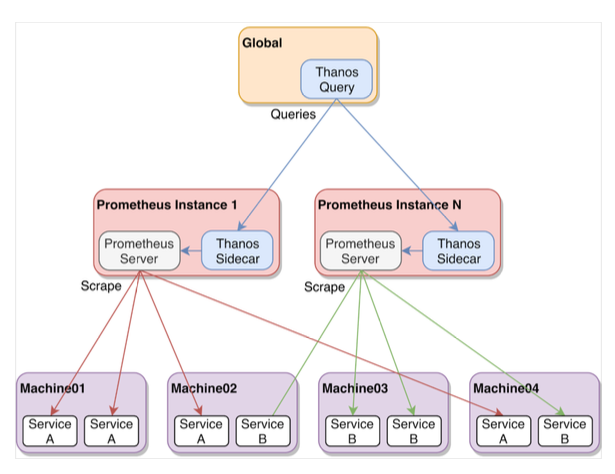
| Term | Meaning |
|---|---|
| Destination Sauron | The Sauron where you add the additional store and run the combined Thanos query. |
| Source Thanos Store | The remote Thanos gRPC endpoint that exposes metrics to the destination Sauron. |
| Additional store | The Thanos Store entry created with PUT /v1/thanos/additionalstores. |
| Certificate and key | Base64 values used for Thanos gRPC authentication. Treat these values as secret material. |
When should I use this?
Use an additional Thanos Store when you need a federated metric view across multiple Saurons, regions, or Thanos Store endpoints.
For example, you might add a source Sauron named dev-west to a destination Sauron named dev-global, then run Thanos queries from dev-global that include metrics exposed by dev-west.
Before you add a Thanos Store
Confirm these details before making the API change:
- Identify the destination Sauron where users will query the combined metric view.
- Identify the source Thanos Store endpoint that should be added.
- Use the source endpoint's
thanos-grpchostname, not the browser Thanos hostname. - Retrieve the source Thanos server certificate and key from the source Sauron API.
- Choose a short store name that identifies the source, such as
west-coast.
Do not paste certificates, private keys, tokens, passwords, or other secrets into support channels, tickets, screenshots, or shared documents.
Add an additional store
In this example, dev-global is the destination Sauron and dev-west is the source Sauron.
From the dev-west API server, retrieve the Thanos server certificate and key:
GET /v1/thanos/servercerts
Use those base64 values when adding the source Thanos Store to the dev-global API server:
PUT /v1/thanos/additionalstores
{
  "cert": "replace-with-base64-client-cert",
  "key": "replace-with-base64-client-key",
  "name": "west-coast",
  "urls": [
    "thanos-grpc.<source-sauron-domain>:443"
  ]
}
The urls value must use the Thanos gRPC endpoint. Use thanos-grpc, not the browser thanos endpoint.
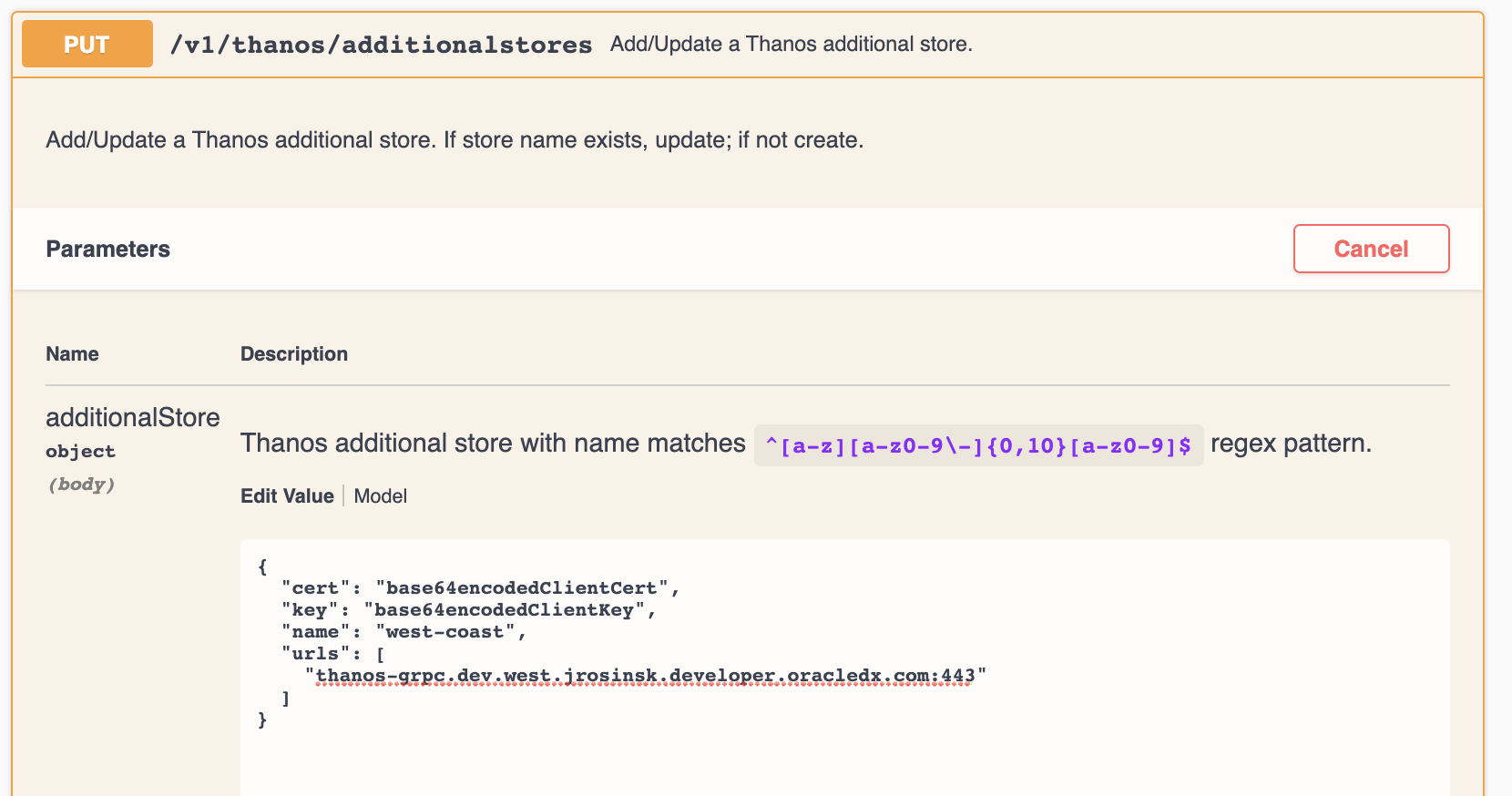
The API form should include the store name, source thanos-grpc URL, certificate, and key for the source store.
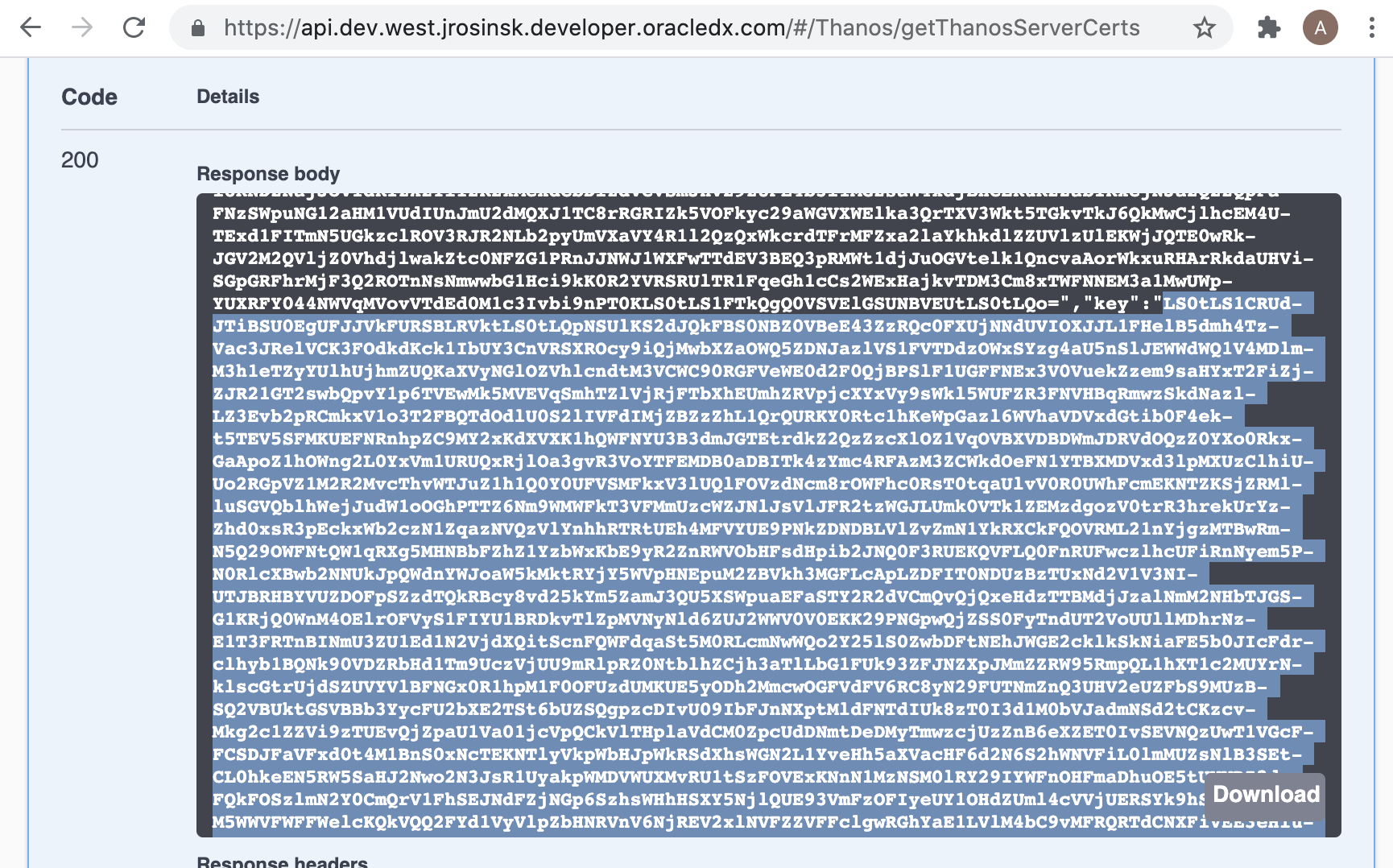
Copy the certificate and key exactly as returned by the source API. Base64 values can end with =, and that trailing character is part of the value.
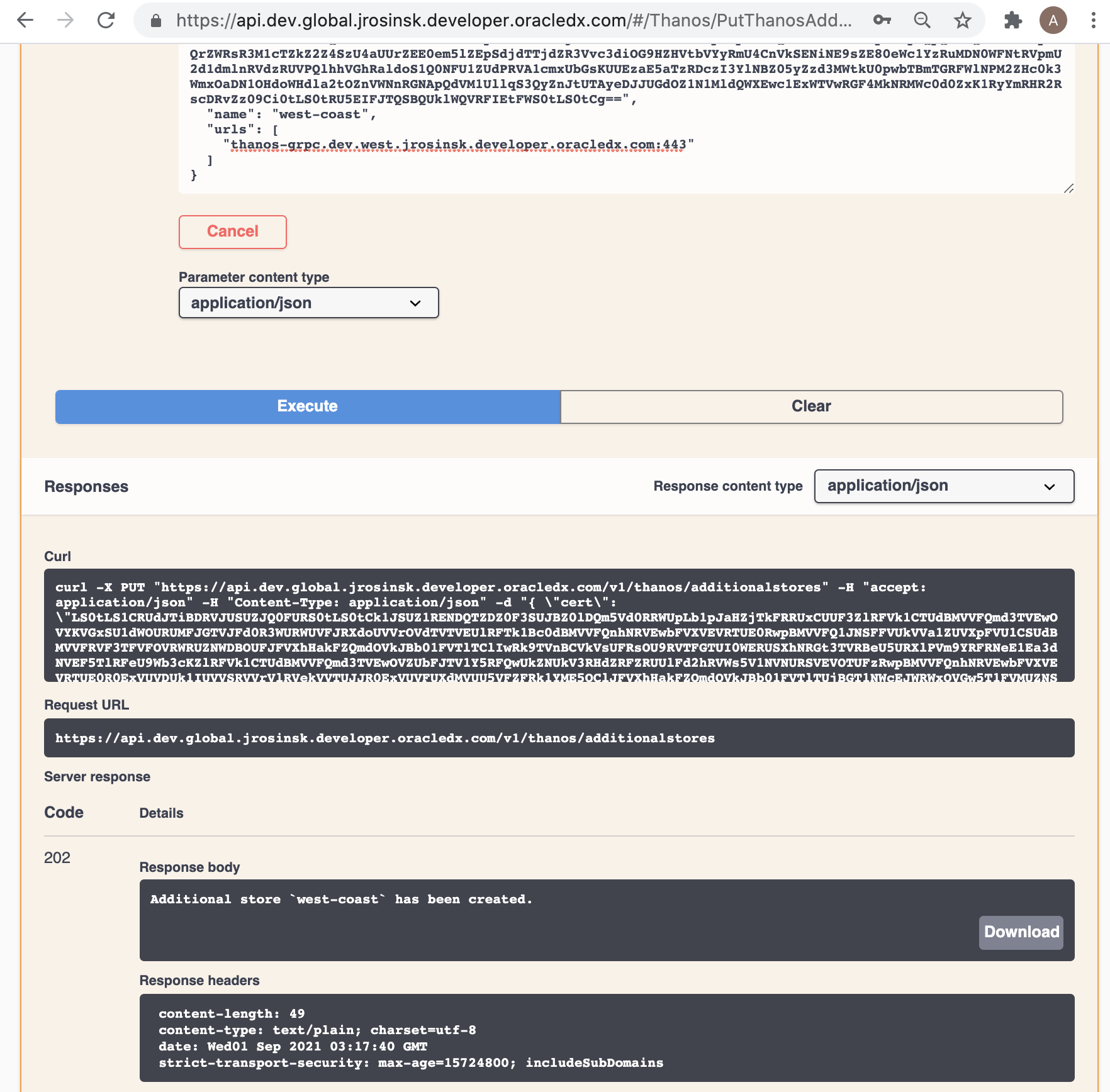
A successful create response returns 202 with a message similar to Additional store west-coast has been created.
Prove it works before production
Validate the additional store before relying on it for dashboards or alerts:
- Confirm the API request returns a successful response.
- Open the destination Sauron Console endpoints page: https://console.stage.apatil.developers.oracledx.com/endpoints/endpoints.html.
- Find the new Thanos Store endpoint for the additional store.
- Open the Thanos Store endpoint and select the Stores tab.
- Confirm the source store appears in the Stores list.
- Run a known query in the destination Thanos view and confirm the expected source metrics appear.
If Global SSO is enabled for this Sauron, it can take 10-15 minutes to register the new Thanos Store endpoint before it is accessible.
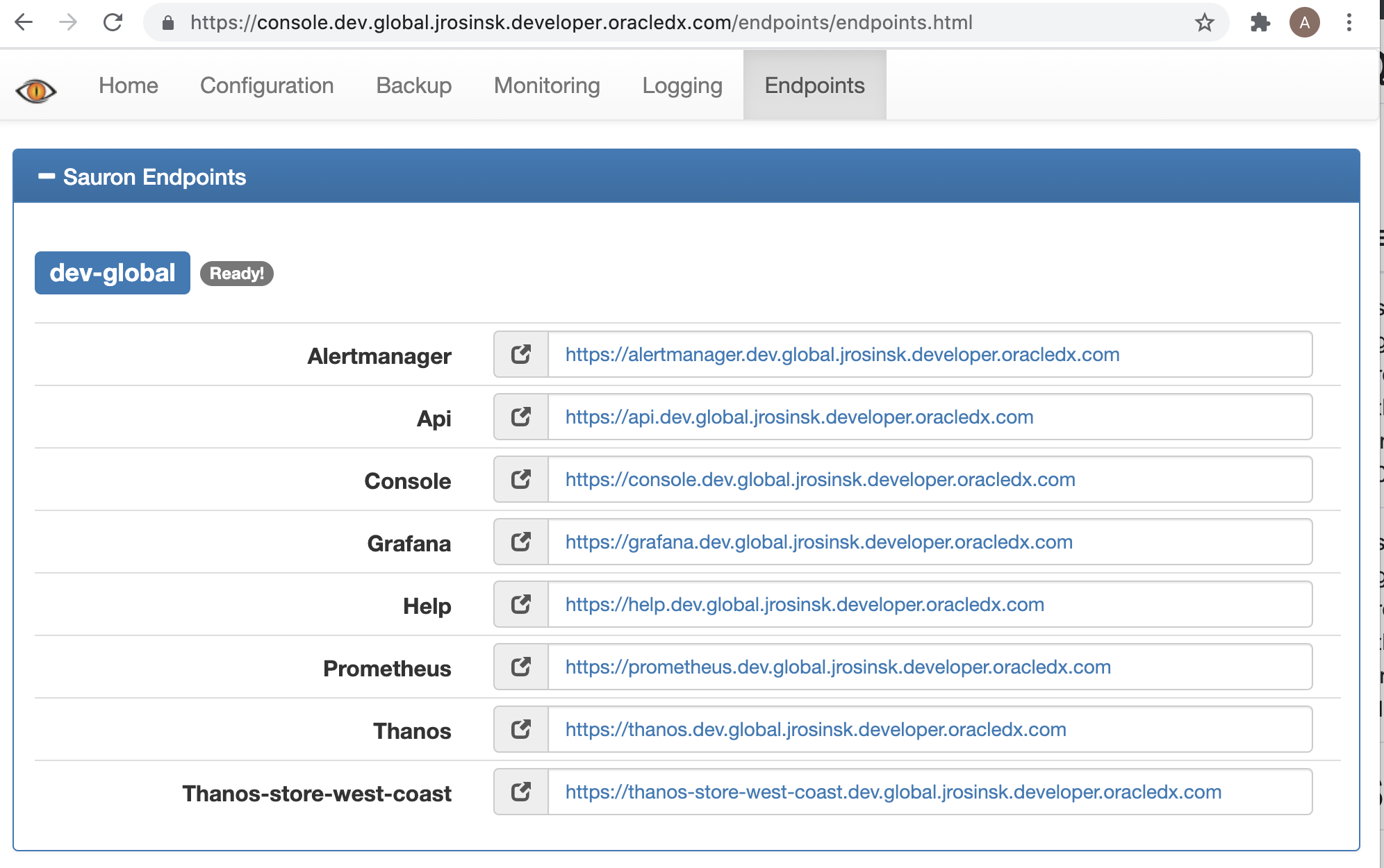
The destination Console endpoints page should show the new Thanos Store endpoint after registration completes.
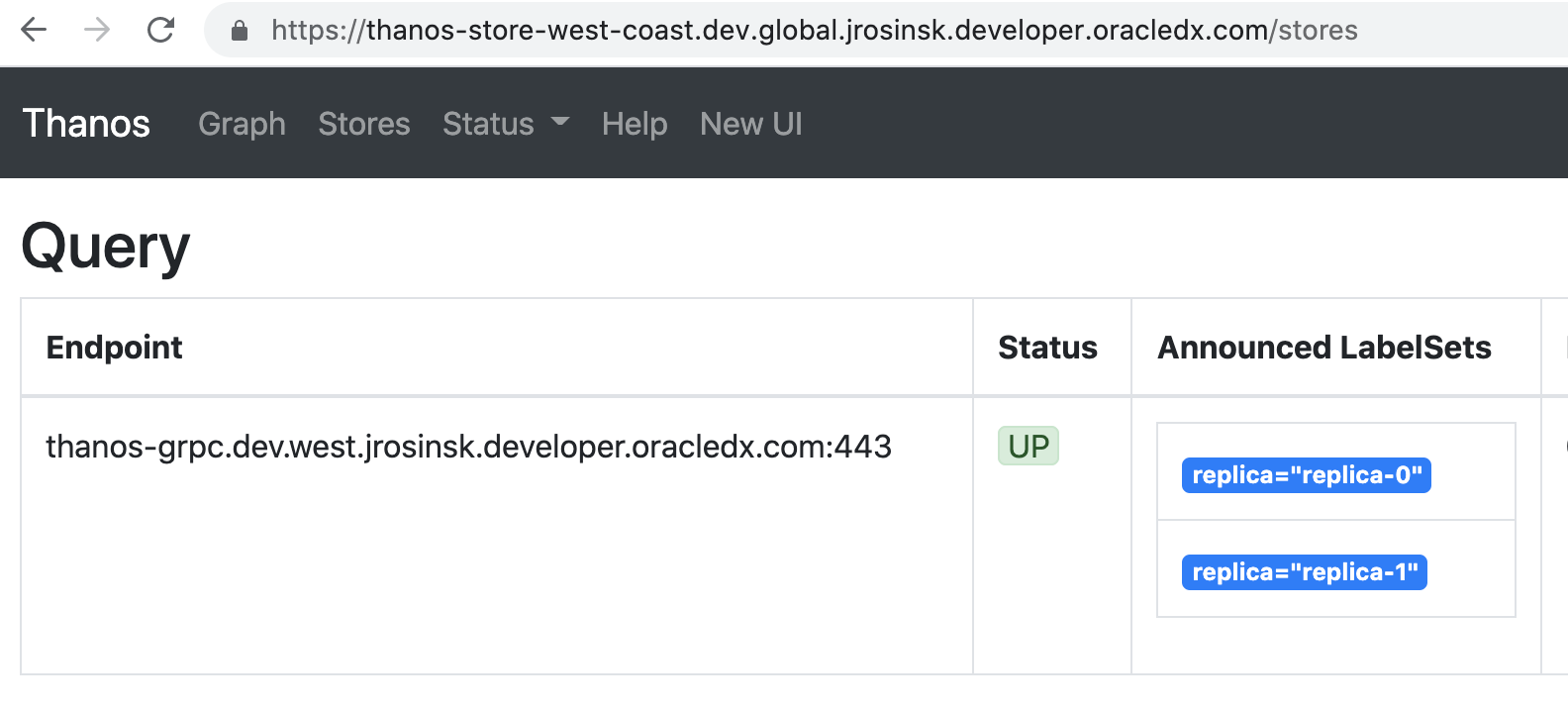
The Stores tab should list the source store configured in the urls field.
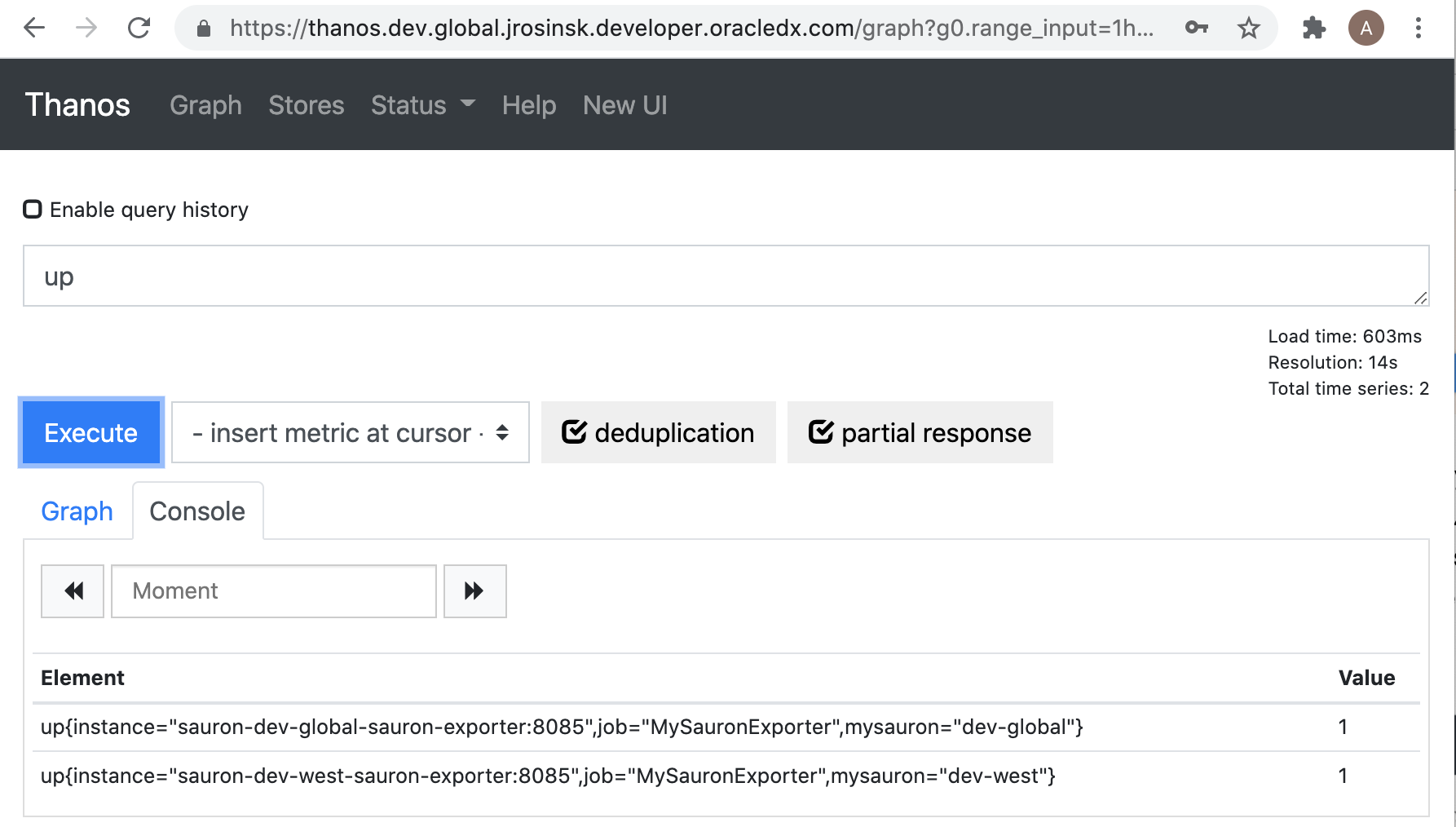
After the store is reachable, metrics from the source store should be queryable from the destination Thanos metrics view.
If the store is missing or not queryable, check the thanos-grpc URL, store name, certificate, key, SSO registration timing, and network reachability from the destination Sauron to the source Thanos Store.
Add multiple stores that share one certificate and key
Additional stores support multiple URLs in one entry, but the entry has one certificate and key. Use this shape only when the listed Thanos Store endpoints share the same certificate and key.
{
  "cert": "replace-with-base64-client-cert",
  "key": "replace-with-base64-client-key",
  "name": "dev-regions",
  "urls": [
    "thanos-grpc.<source-sauron-domain-1>:443",
    "thanos-grpc.<source-sauron-domain-2>:443"
  ]
}
Share certificate values for additional stores
The Thanos server certificate APIs manage the server-side certificate and private key used to authenticate traffic to the Thanos gRPC endpoint.
GET /v1/thanos/servercerts
Fetches the Thanos server-side certificate and private key in base64 format.
PUT /v1/thanos/servercerts
Sets the Thanos server-side certificate and private key in base64 format.
{
  "cert": "replace-with-base64-cert",
  "key": "replace-with-base64-key"
}
Treat the returned cert and key values as secret material. Do not share them in support channels.
Self-check before escalation
Before contacting Sauron support, collect this information without including certificates, keys, passwords, or tokens:
- Destination Sauron URL.
- Source Sauron or source Thanos Store endpoint.
- Additional store name.
- API path used, such as
/v1/thanos/additionalstores. thanos-grpcURL value, without any certificate or key values.- Auth method used for the API call.
- Exact API status code and response message.
- Whether the Console Thanos Store endpoint appears.
- Whether the source store appears in the Thanos Stores tab.
- Known PromQL query tested and the time range used.
- Recent certificate, SSO, network, or Thanos configuration changes.
- Impact, including whether dashboards, alerts, or only direct Thanos queries are affected.