Sauron Console
Sauron provides a dedicated Console for your Sauron instance. Open https://console.stage.apatil.developers.oracledx.com to inspect status, endpoints, configuration, backups, and chatbot context for this Sauron.
Console chatbot
When enabled, the Console chatbot runs inside that Sauron's Console and can use selected-Sauron context. Use it for live alerts, metrics, logs, dashboards, endpoint or configuration questions, backup or restore questions, and customer-specific troubleshooting. Include enough detail for the chatbot to understand the affected component, time range, error, and expected behavior, but do not paste passwords, bearer tokens, private keys, reset links, or other secrets.
What can I do in Console?
| Console page | What it helps with |
|---|---|
| Home | Access the Console chatbot when it is enabled for your Sauron. |
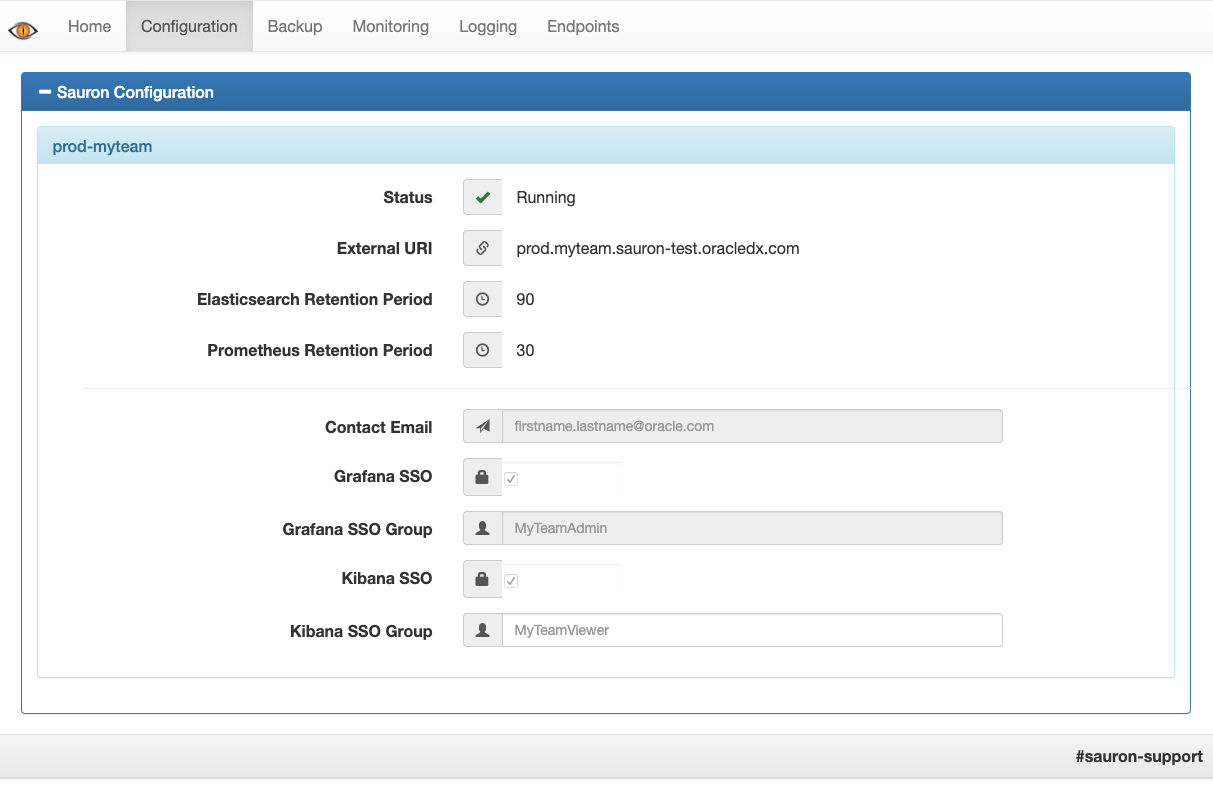
| Configuration | View status, external URI, retention settings, contact email, and SSO settings. |
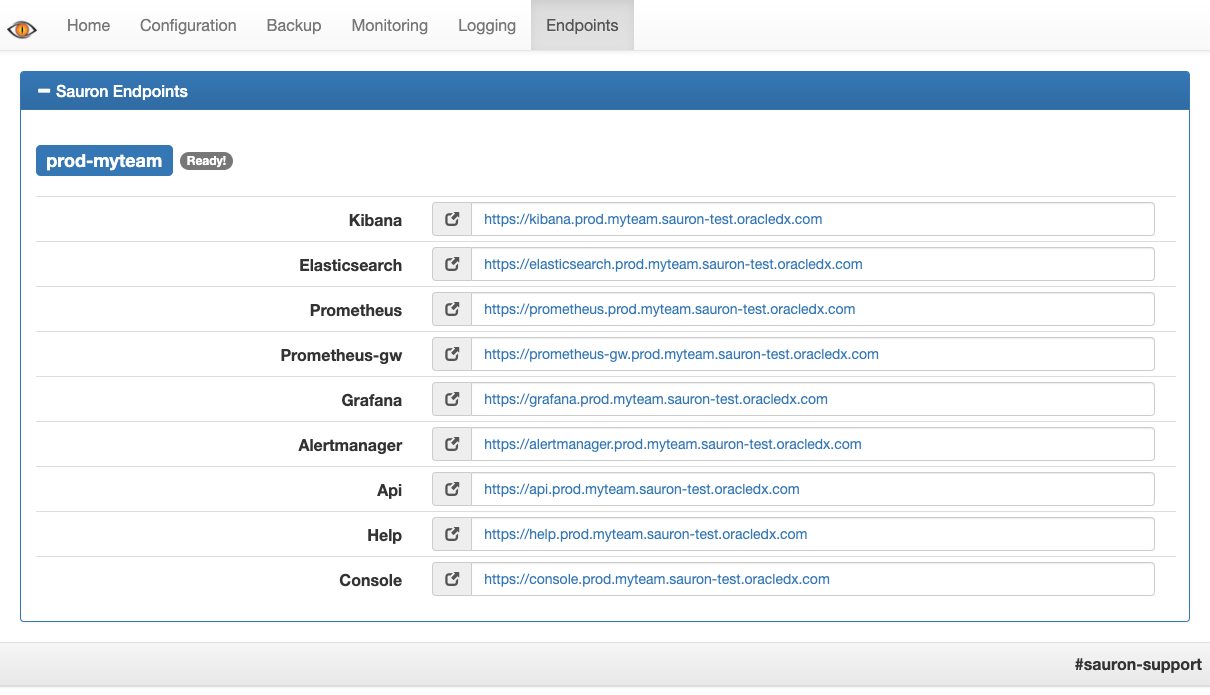
| Endpoints | Find enabled endpoint URLs, including Thanos Store and Thanos Rule endpoints when present. |
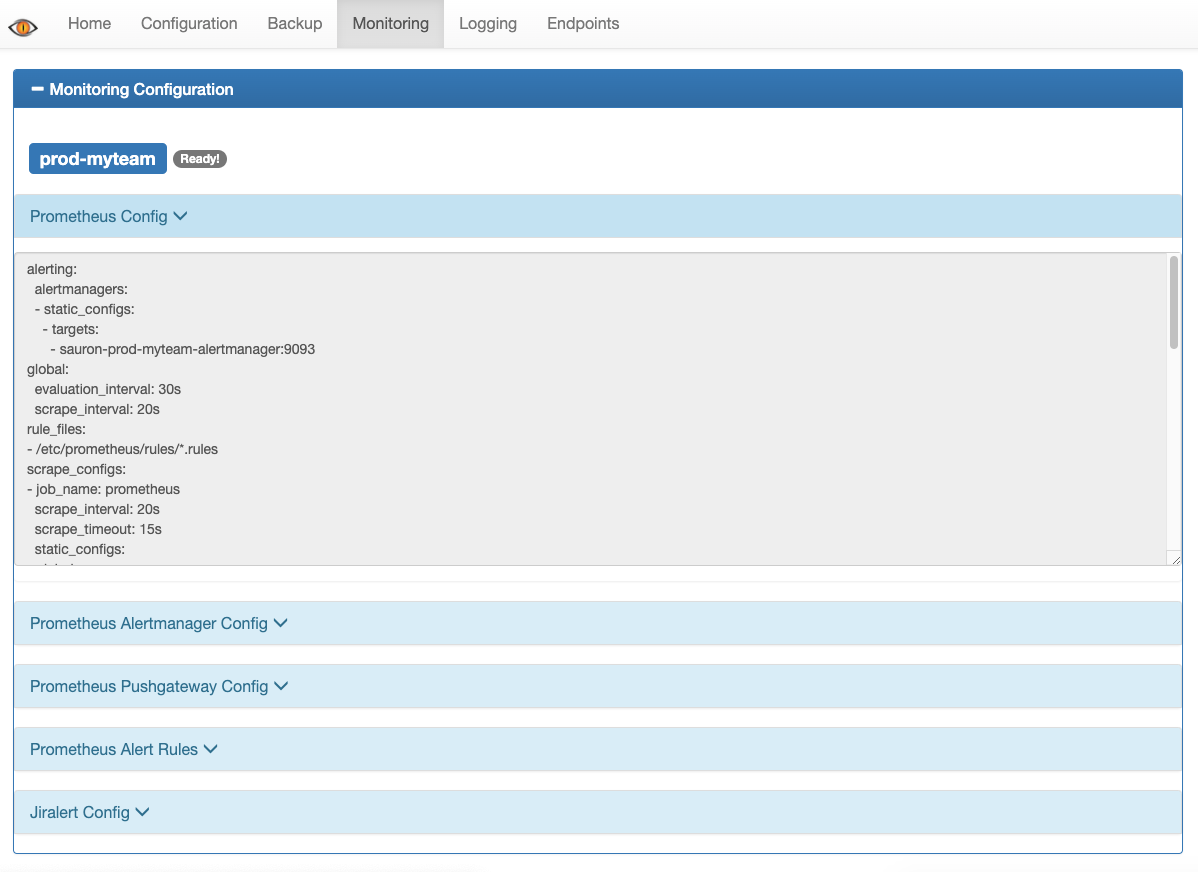
| Monitoring | View Prometheus config, Alertmanager config, and Prometheus alert rule files. |
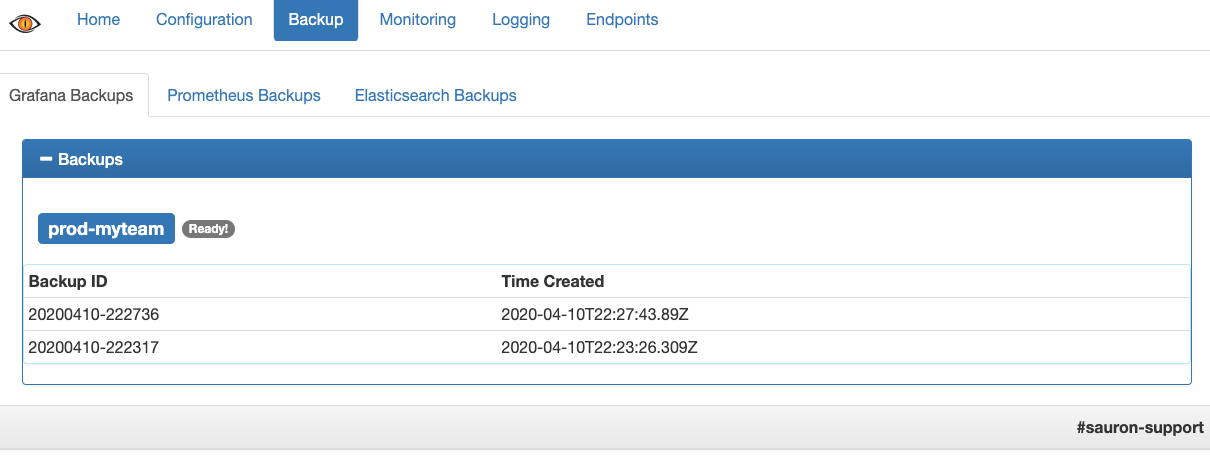
| Backup | View Grafana, Prometheus, and OpenSearch backup or snapshot lists. |
Use Console to inspect the current state of your Sauron and collect evidence. Use the Sauron API pages for supported configuration changes. Use component UIs such as Grafana, Prometheus, OpenSearch Dashboards, and Alertmanager for deeper querying, dashboards, log search, or alert-routing workflows.
Configuration
Use the Configuration page to check your Sauron status, URI, retention settings, contact email, and SSO settings.
Endpoints
Use the Endpoints page to find the current URLs for enabled Sauron endpoints. This is also where additional Thanos Store endpoints can appear after they are configured and registered.
Monitoring
Use the Monitoring page to view the current Prometheus configuration, Alertmanager configuration, and Prometheus alert rule files.
Backups
Use the Backup page to view available Grafana, Prometheus, and OpenSearch backup or snapshot lists.
Self-check before escalation
Most Console questions can be resolved by checking the page above and comparing it with the affected Sauron endpoint. If Console access or data does not behave as expected, check and collect:
- Sauron URL.
- Console URL.
- Console page or tab.
- Authentication method used.
- Exact error/status or screenshot.
- Whether Help, API, Grafana, or another endpoint works for the same Sauron.
- Recent SSO, OIM, or configuration changes.
- Checks completed.
- Production impact, if any.
Do not paste passwords, bearer tokens, private keys, reset links, or other secrets in Slack.